

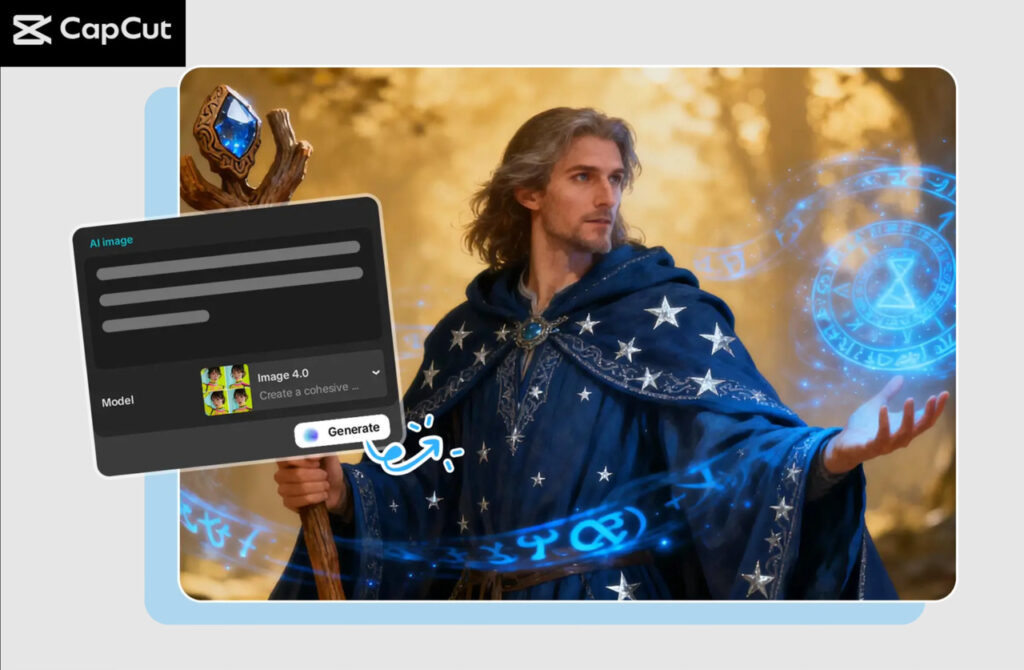
CapCut PC allows bloggers to make original article illustrations in minutes because it features built-in AI tools. In this guide, we will discover how bloggers may use CapCut PC as an AI image generator, how to improve the look of your blog, and how to have high-quality images to accompany your articles.
Why Bloggers Should Use CapCut PC for Article Illustrations
CapCut PC includes powerful AI features that help bloggers create visuals quickly, for bloggers who desire to create high-quality shots without resorting to complex software. The following are the key reasons why the bloggers deem CapCut very beneficial:
Bloggers have the opportunity to create images that are specific to their requirements and do not have to scour the internet to find free images or use stock or similar websites. It is better suited to coming up with illustrations inspired by a short text prompt, whether you need a unique character, a blog header image, or a conceptual graphic. CapCut has models: Nano Banana Pro, Seedream versions, or Flux 1.1 Pro, that can be used to create illustrations based on a short text prompt.
Traditional design tools can take a lot of time. CapCut makes it easy to describe the image you want instead of manually creating one, and refine it with the addition of simple editing tools. This conserves the time of manual design used by bloggers.
The illustrations in the blog should appear clean on every device. CapCut has 4K and 8K export levels, so your photos remain high-quality even when inserted into the text of an article.
4. Built-In Branding Capabilities
CapCut can be used to produce branded art or icons for bloggers who wish to create a distinctive visual identity. Similar tools can help you to generate your own logo, badge-style graphics, or section dividers that fit your blog by using an AI logo generator-type tool.
How AI Helps Bloggers Create Better Visuals
The AI’s illustration software is transforming the way bloggers develop works. Bloggers no longer have to use the stock pictures preset when they can create images that perfectly fit into certain topics of the articles. As an example, when you are writing a travel story about Kyoto, you can create an artwork of AI artwork with temples, streets, or cherry blossoms. Authoring an instruction manual on technology? Make contemporary abstract designs or clean designs.
AI helps bloggers by:
- Converting textual descriptions into illustration-level images.
- trendy production of a variety of styles (minimalist, cartoon, realistic, watercolor, abstract)
- Maintain a consistent visual theme.
- AI-generated images help reduce copyright concerns because they are created from your prompts, not copied from existing images.
- Accelerating the whole creative process.
Three Operational Steps to Create Blog Illustrations Using CapCut PC
Step 1: Open the CapCut Desktop
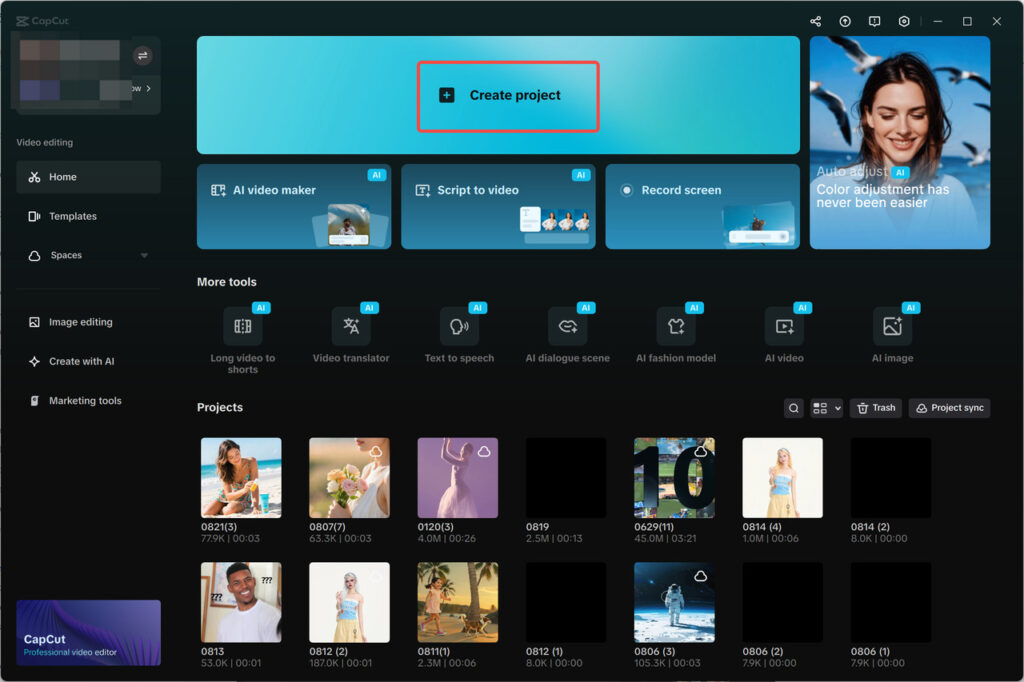
Install CapCut Desktop and sign in. On the home screen, click ‘Create project’ to open a new workspace. Your media tools appear on the left, the preview is in the center, and editing tools are on the right
Step 2: Create an AI image
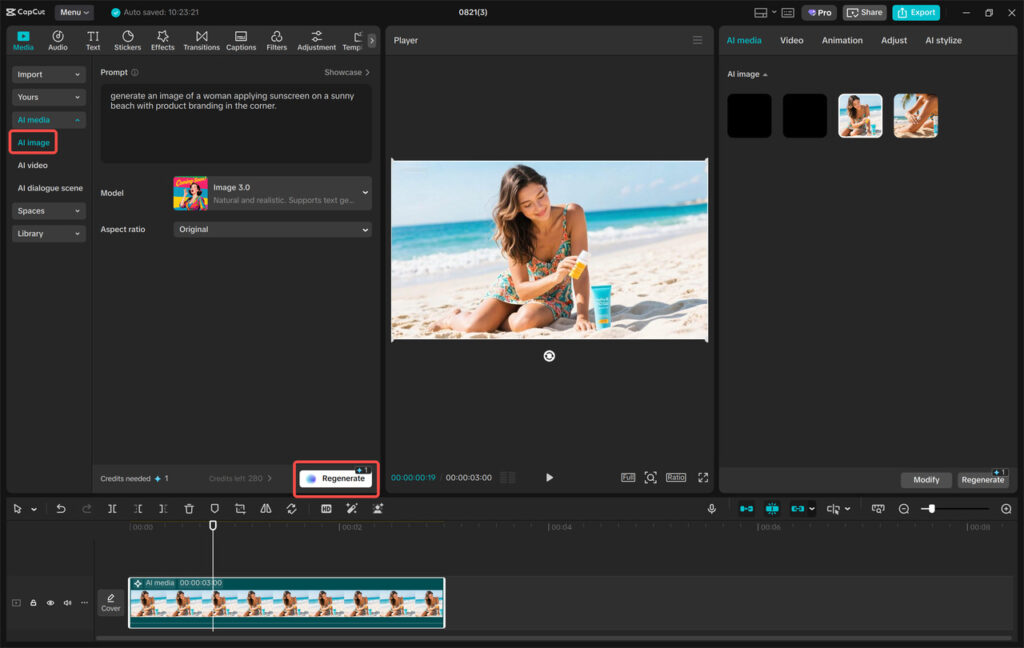
In the left panel, you will find the section called Media, and then when you press AI media. Write a brief on the kind of illustration you require: i.e., flat style travel icon, minimalist workspace illustration, gradient background with soft lighting, etc. Select an AI model such as Nano Banana Pro, Seedream, or Flux 1.1 Pro. In case it is necessary, add reference pictures to instruct AI. Once you have chosen your aspect ratio, such as 16:9 or square, then click Regenerate to view multiple variations. Choose the most preferred one and customize it with the AI enhancement features in CapCut.
Step 3: Export and share
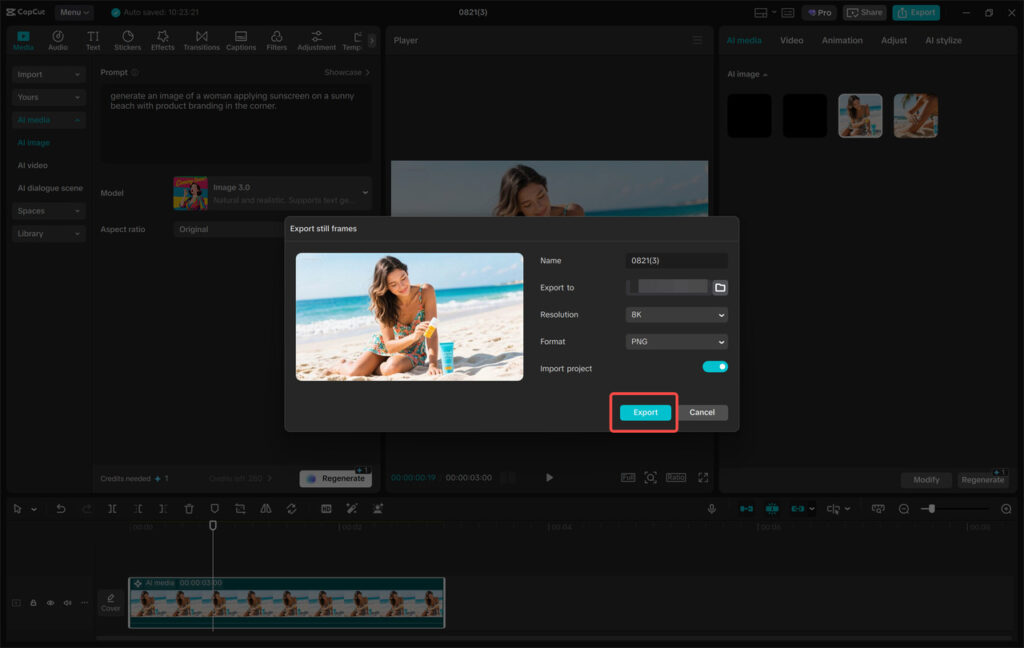
All you have to do is click the three horizontal lines above the preview panel and choose ‘Export still frame and name your photo, and choose what resolution to use, preferably 4K or 8K, which is professional. Lastly, choose to save your illustration by clicking on the word Export. Your illustration is now ready to upload to your blog.
Tips for Bloggers to Create Better Illustrations
It does not only mean producing pictures, but competent design decisions to back up your work. The following are some of the tips that can make your illustrations complement your blog posts:
Use consistent colors and styles
Blog illustrations appear more professional in case they are designed based on a regular visual motif. Keep the same color combination, line thickness, or line artistic style in pictures.
Write precise prompts
You can modify your prompt to include additional words to achieve a particular style, e.g., flat 2D illustration, pastel color palette, or digital painting, to get an image that is more ideally aligned to what you want to achieve.
Add text overlays for section headers
In CapCut, one can draw custom background illustrations by creating a background picture and writing clean and readable text over it.
Create brand elements
With the help of tools that resemble those of an AI logo generator, you can create branded icons, author badges, callout boxes, or signature graphics to enhance the identification of your blog.
Edit lightly for clarity
Once you have an illustration created by AI, you can always make it brighter, change the balance of colors, and make the picture sharper to have an overall look that fits your site.
Conceptual diagrams or computer-generated images can be used to divide the technical material into easily understandable parts.
Final Thoughts
The bloggers of today simply cannot afford to rely on the strength of their writing alone; they must have some visuals that will keep the readers interested, enhance the reading experience, and make them effective in conveying information to the readers. CapCut PC is a versatile one-stop solution that will enable bloggers to create stylish and high-resolution illustrations of articles in an all-in-one solution that does not require professional design software or skills.
Since CapCut is able to create images by using an AI image generator, as well as build branded content using an AI logo generator, the process of drawing illustrations is surprisingly easy and quick. The basic steps of operation are to open CapCut, create your own AI images, export them, and create refined images that fit perfectly into your articles.